Everything it does
Every feature of ecutool, in the order you’d use them on a tune. Click a screenshot to see it full size.
Opening files and finding maps
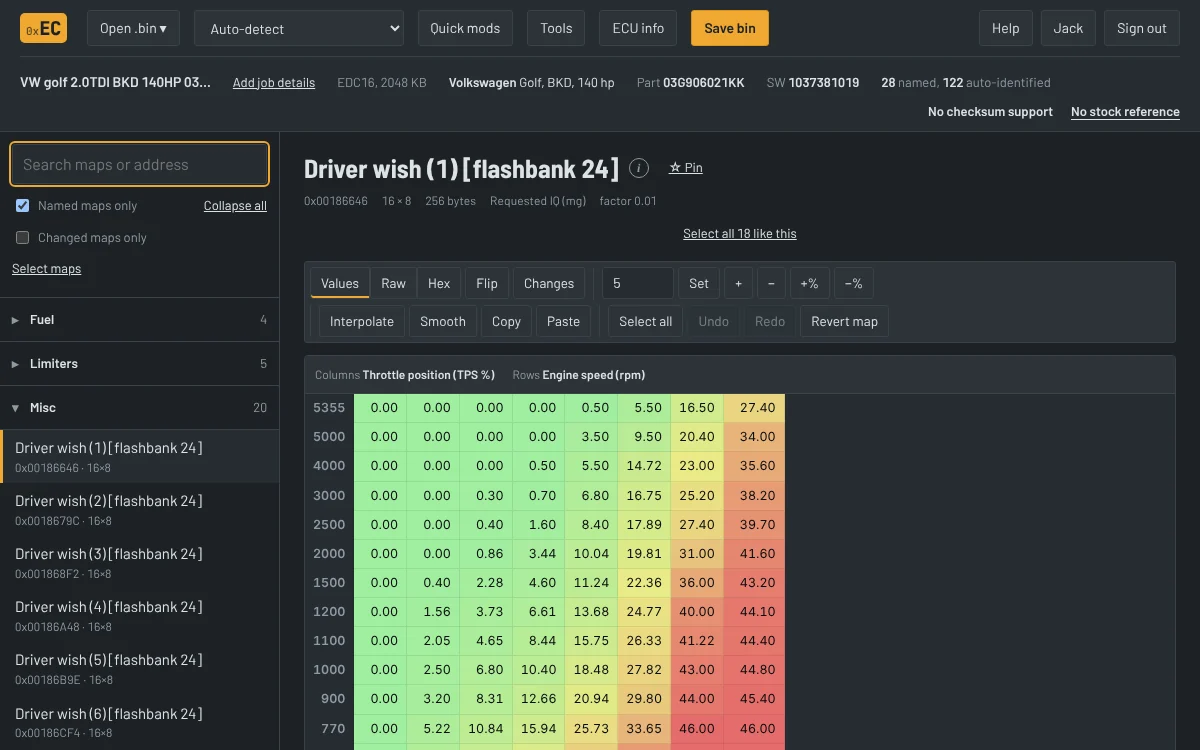
Open a read and the tool works out what it is, then finds and names the maps for you.
- Open or drop a file
- .bin or .ori, from your computer or dropped anywhere on the page.
- ECU detected for you
- The family is found automatically; pick it yourself only if detection gets it wrong.
- Two-chip reads
- LOW/HIGH, LLL/HHH and SLL/SHH chip files (EDC15V, EDC15M, MSA15 and similar) are joined to edit and saved back as two.
- ECU details at a glance
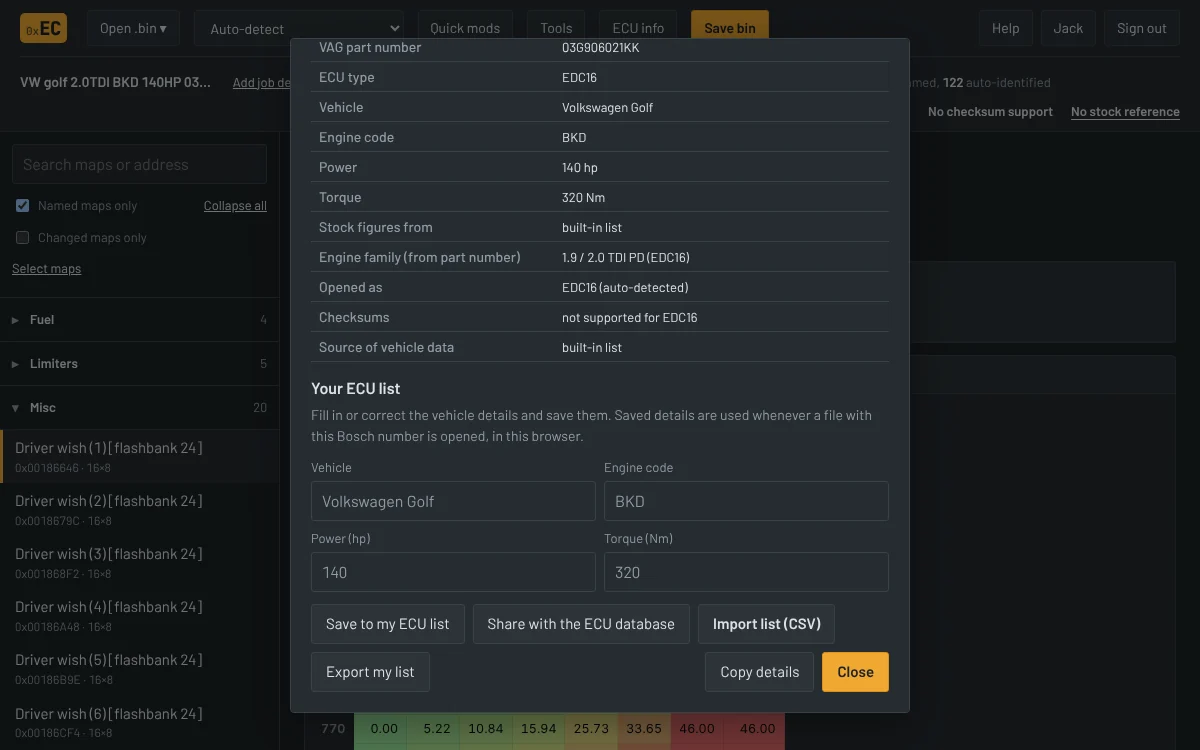
- File, ECU type, vehicle, Bosch and part numbers, software, maps named and checksum state, under the header.
- Maps found and named
- Driver’s wish, torque and smoke limiters, boost, injection, SVRL and more, depending on the ECU.
- ME7 maps named from the firmware
- On VAG 1.8T reads, up to about 80 maps are named the moment the file opens, with nothing to import: lambda, fuel, boost, knock control, the torque limit and air mass correction among them. Each is found by following the firmware’s own pointer to it and checking its axis breakpoints, so tuned files keep their names. Other ME7 engines get any matches marked ≈.
- Named from their shape
- Where the main rules leave maps unnamed, they’re recognised from their axes and values and marked ≈: on EDC17 the driver’s wish, torque limiter, boost limit, boost and rail pressure and injector duration; on EDC16 the boost target, boost limit, smoke limiter and the driver’s wish on 03G906016 PD files; on Fiat/Alfa EDC15C5 and C7 the driver’s wish, boost limit, smoke limiter and injector duration; on ME7 1.8T and RS4 the pedal-to-torque map; and on DQ250 gearboxes the shift maps.
- What’s new
- The front page lists the latest new features and ECU and gearbox support, by version and date. The full changelog is at the bottom of the tool.
- Grouped map list
- Fuel, Limiters, Boost and so on, with collapse and expand.
- Search
- By name or by address, such as 4DCCE.
- Named maps only
- Hide tables the tool couldn’t name, or show every one.
- Clear markers
- ● for maps you’ve changed, ≠B for maps that differ from a comparison file, ≈ for names worked out automatically, and “not used” for empty maps.
- More ECUs recognised
- Bosch EPK lines, Siemens/Continental, Delphi, Marelli and Denso markers, so you know what you’ve opened.
- Hex-only mode and layout search
- A file the tool can’t map still opens to view and edit its bytes, or you can let it search for tables stored with their axes.
- Unsaved work kept
- Close the page by mistake and the next time you open the same file you can restore your edits.
- Recent files
- The last 8 files you opened are listed on the start screen, kept in this browser only. One click opens one again.
- Pin your maps
- ☆ Pin keeps the maps you always use at the top of the list, for every file of that ECU type.
- Changed maps only
- One tick lists just the maps you’ve edited.
- Gearbox control units
- On VAG DQ250 DSG units the upshift and downshift maps are found and named (≈), and you can see and edit the gear ratios and final drive. Other DSG and S tronic units (DQ200, DQ381, DQ500, DL501) are recognised from their part number and open in the hex editor. Torque limits and launch are next.
Editing maps
Work in the table like a spreadsheet and check the shape on the graph.
- Select cells
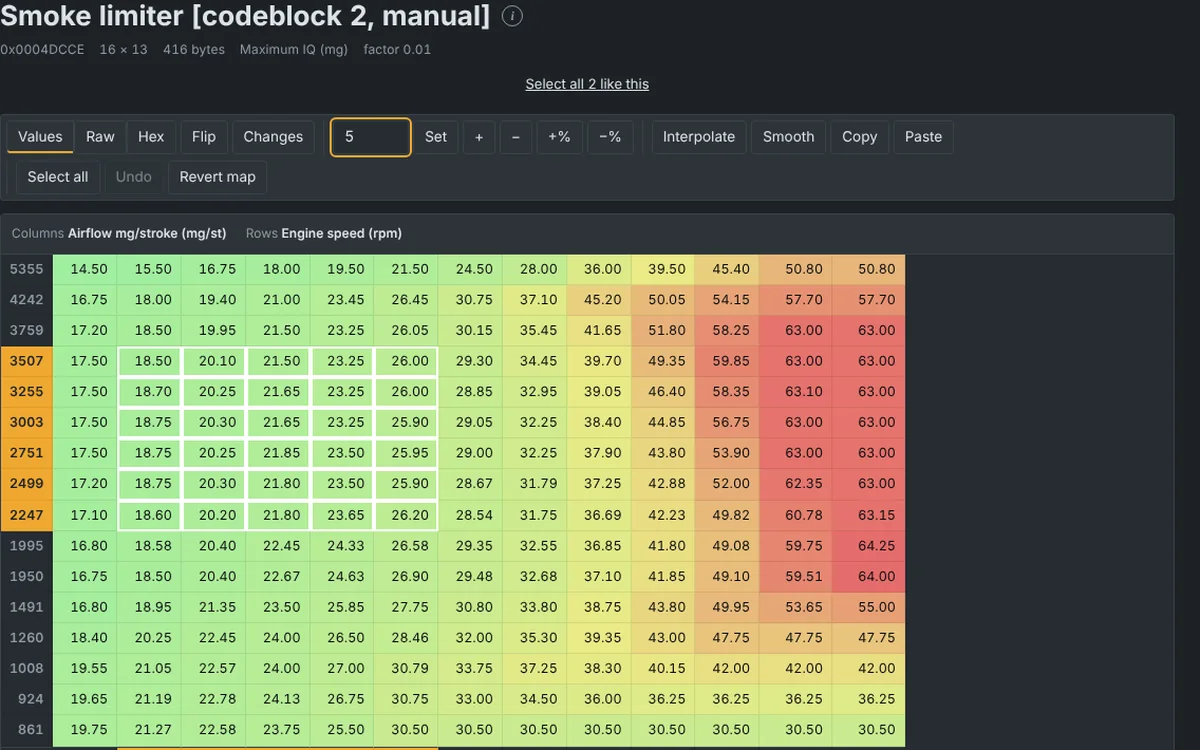
- Click, Shift-click, drag, select all, or tap a point on the graph.
- Change by amount or percentage
- Set, add, subtract, or raise and lower by a percentage.
- Type a value
- Double-click a cell, type, and press Enter.
- Interpolate and smooth
- Fill a selection in straight lines between its corners, or even it out with its neighbours.
- Copy and paste
- Within a map or between maps.
- Undo, redo and revert
- Step back or forward one change at a time, or put a whole map back to the original.
- Edit axes
- Double-click an rpm, load or other axis value to change it. Every map that uses the same axis follows, and values must stay in order.
- Keyboard shortcuts
- Arrow keys to move round the table (Shift for a block), + and − to change it, Enter to type, Ctrl/Cmd+S to save, [ and ] for the next map, and ? for the full list.
- Values, raw and hex
- Switch between real units, the stored numbers and hex.
- Flip
- Put low rows at the bottom, to match the graph.
- 3D, row and column graphs
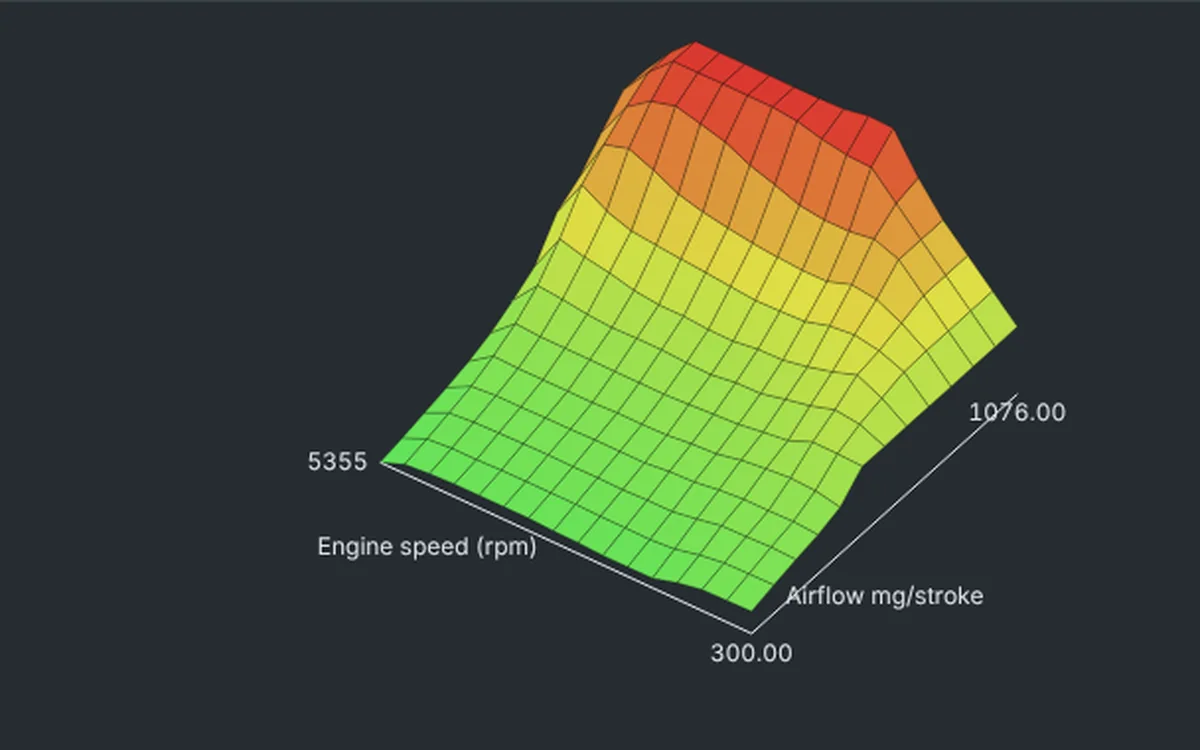
- Drag to rotate the surface, or look at one slice at a time, with your selection marked.
- Another map beside it
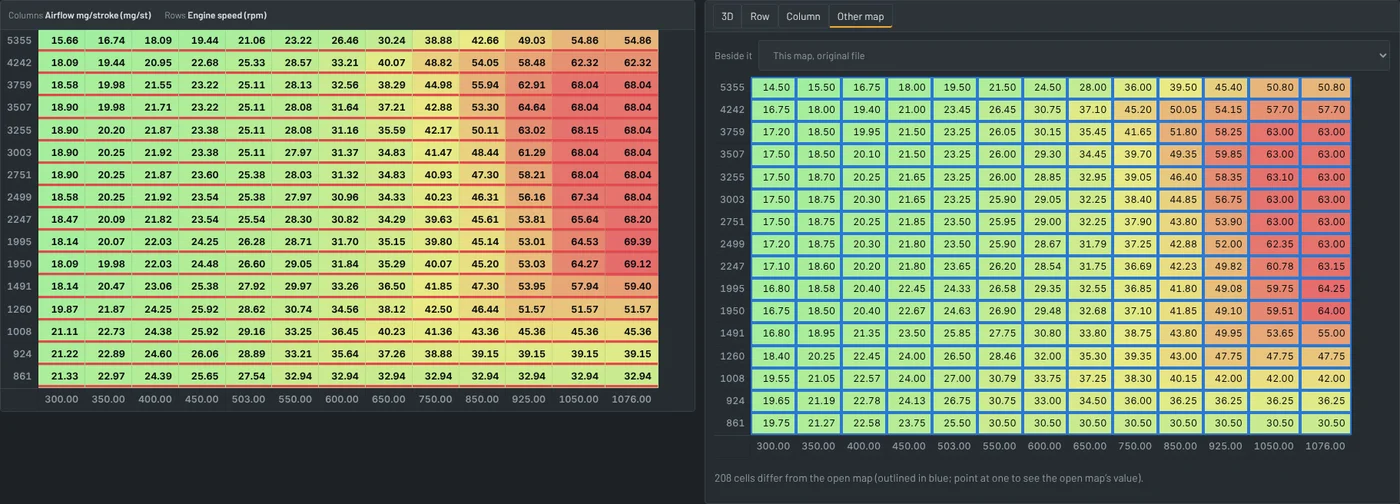
- Show a second table next to the one you’re editing: this map in the original file or file B, or any other map, with the differences outlined.
- Notes
- Keep a note on any map; notes go into sessions and change reports.
Several maps at once, quick mods and the tune checklist
Make the same change everywhere it’s needed, a common change in a couple of clicks, and don’t forget the maps that go with it.
- Select a whole family
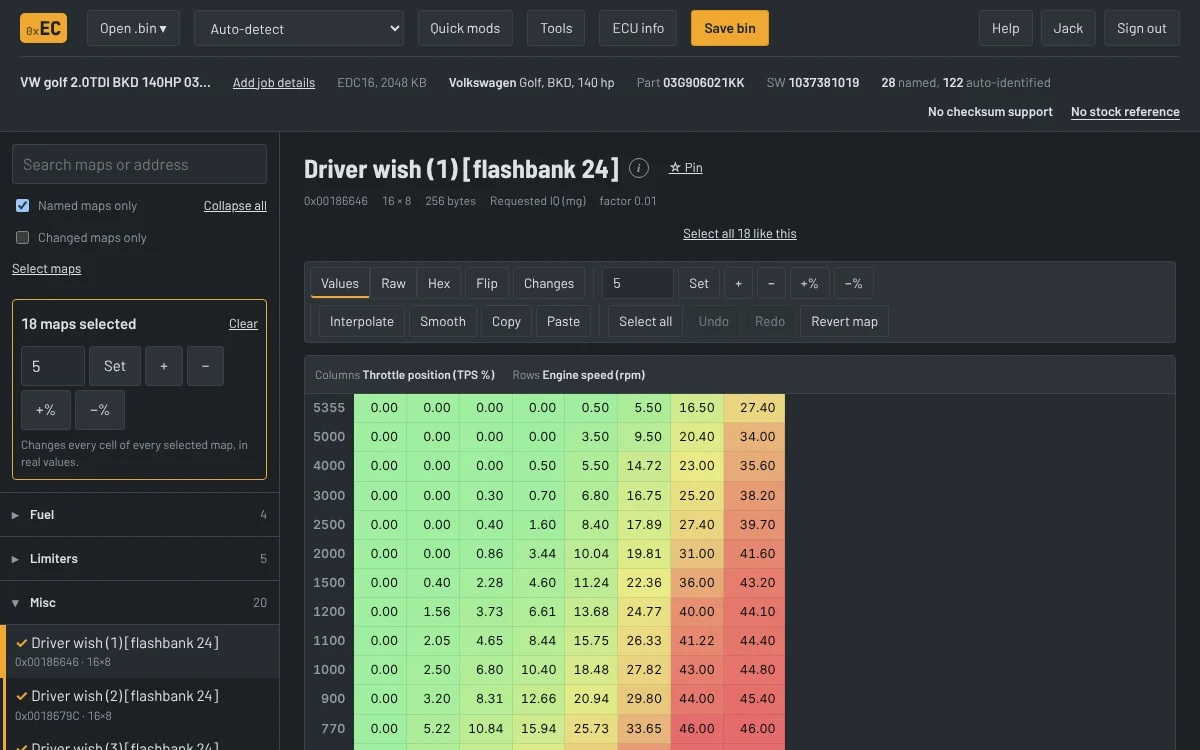
- Pick every copy of a map, such as all driver’s wish maps, in one click.
- Pick your own set
- Select maps from the list, or Ctrl/Cmd-click them.
- Change them all together
- Set, add or change by a percentage across every selected map, in real values, as one step you can undo.
- Quick mods
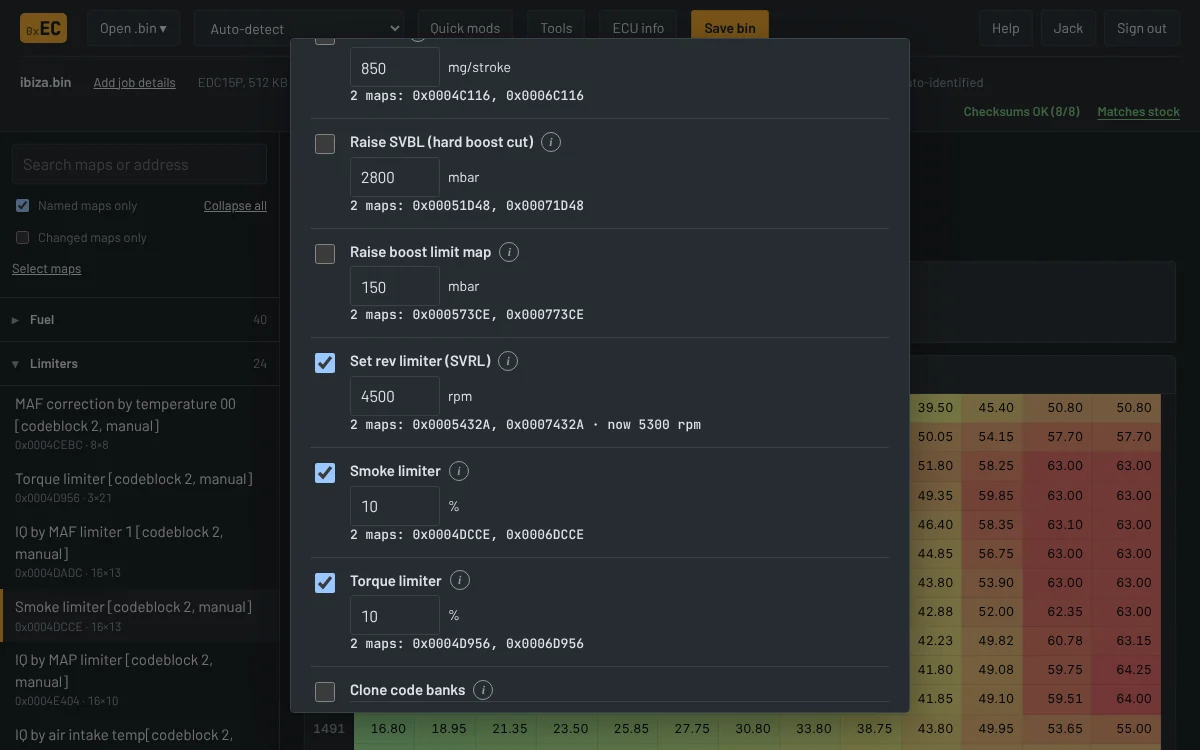
- Raise the smoke and torque limiters, raise the boost limit, move the hard boost cut (SVBL) or set the rev limiter (SVRL) in every bank.
- Only what applies
- Quick mods only offers changes whose maps were found in your file, and lists exactly which maps each one touches, with what each does in an ⓘ note.
- Remembers your amounts
- Quick mods starts from the amounts you used last time.
- Tune checklist
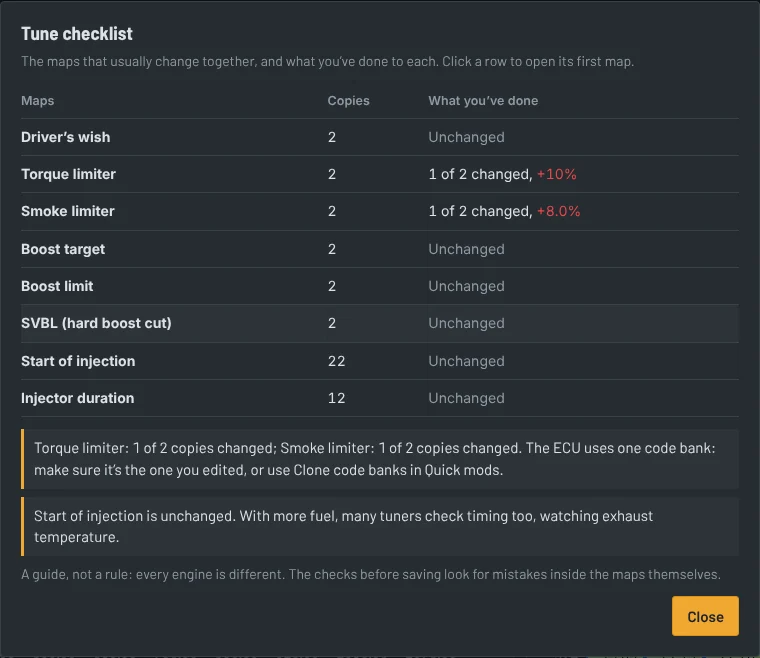
- The maps that usually change together (driver’s wish, torque and smoke limiters, boost target and limit, SVBL, timing and injector duration), what you’ve done to each, and the usual gaps, such as more fuel asked for with the smoke limiter unchanged.
- Clone code banks
- Copy every map from one bank into the others, so they hold the same tune.
Seeing your changes and comparing files
Know exactly what changed, against your original, another file or stock.
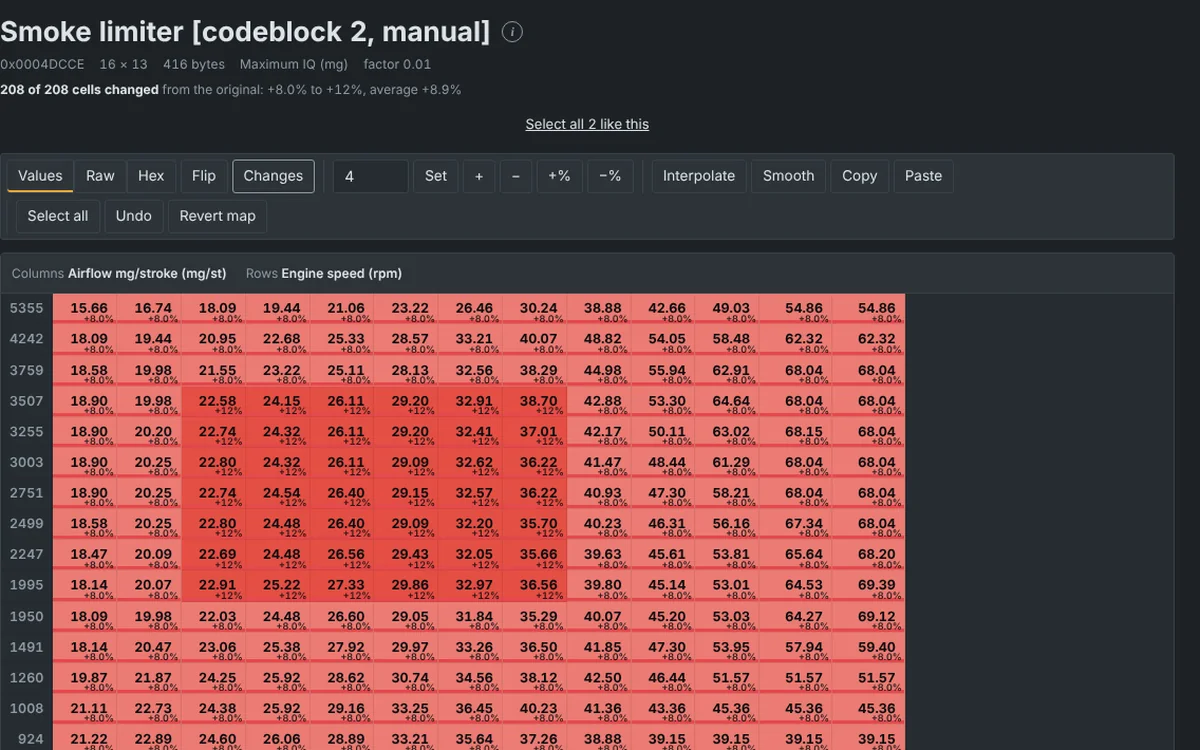
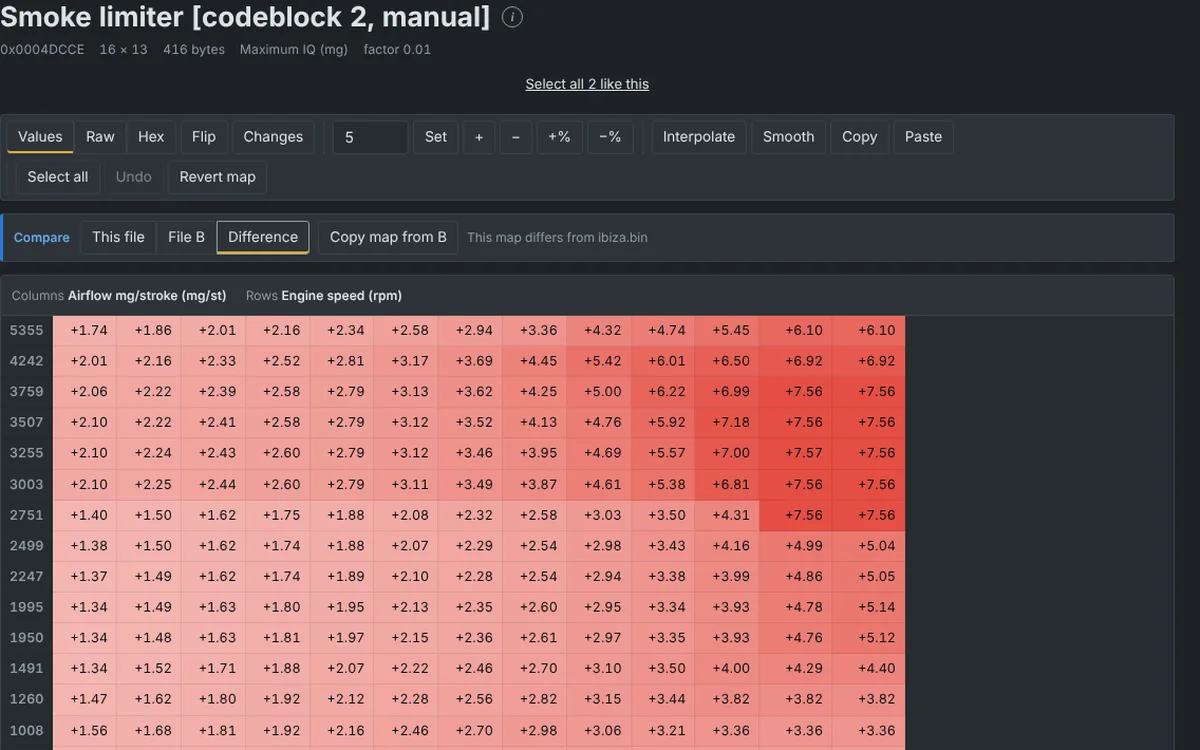
- Changes view
- Every changed cell shaded by how far it has moved, with its percentage, and the original value on hover.
- A summary for each map
- How many cells changed and by how much, such as +3% to +10%, average +7.7%.
- Compare with another file
- Flip between this file, file B and the difference, cell by cell.
- Copy from the other file
- Copy one map, or every map that differs, from file B.
- Only maps that differ
- Filter the list down to maps that aren’t the same as file B.
- Compare to stock
- See which maps differ from the original for this software, using your stock library or built-in fingerprints of known stock files.
- Stock library
- Keep originals in your browser and open them again whenever you need them.
Data logs
See what the engine actually did, and where on each map it did it.
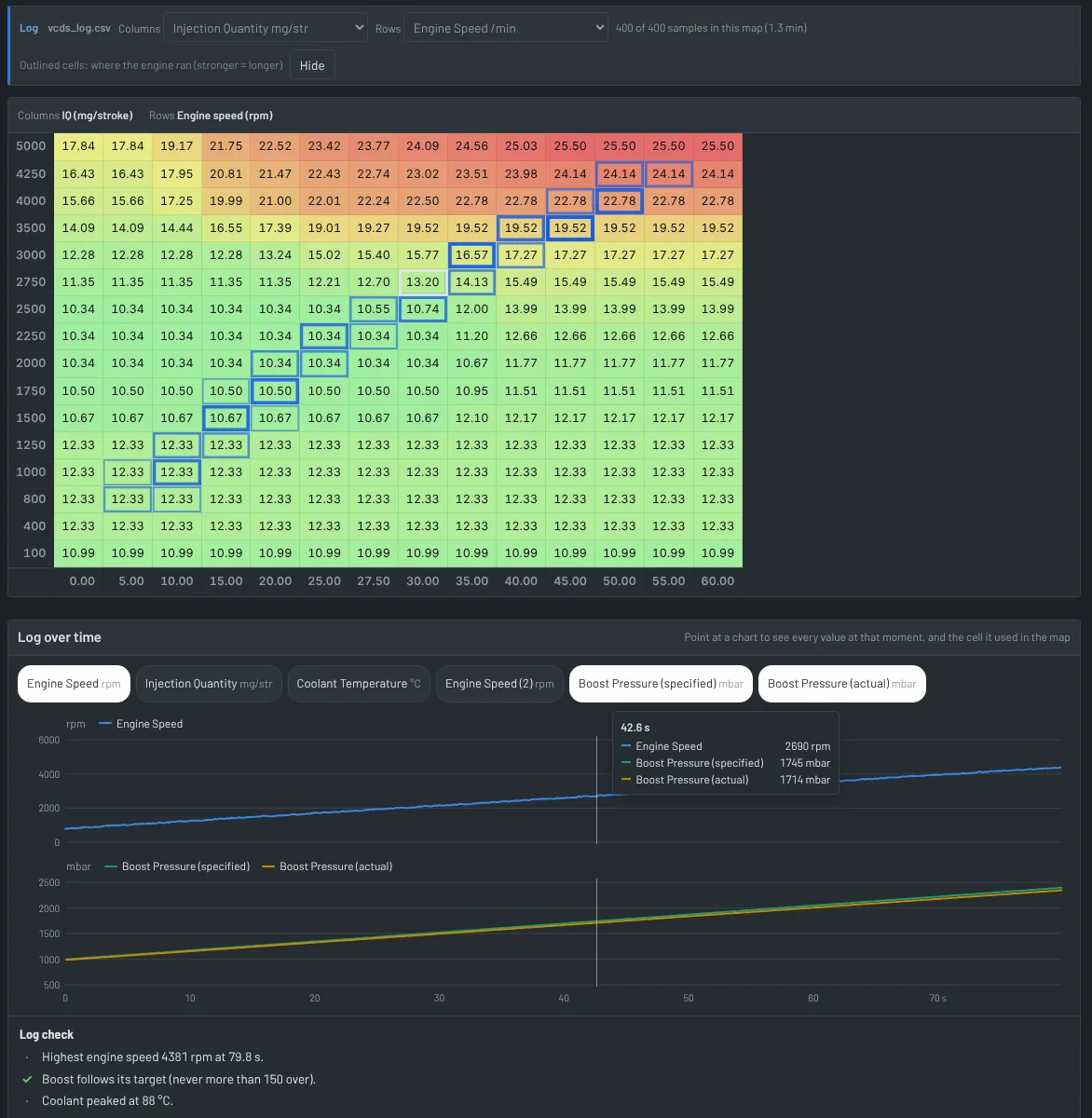
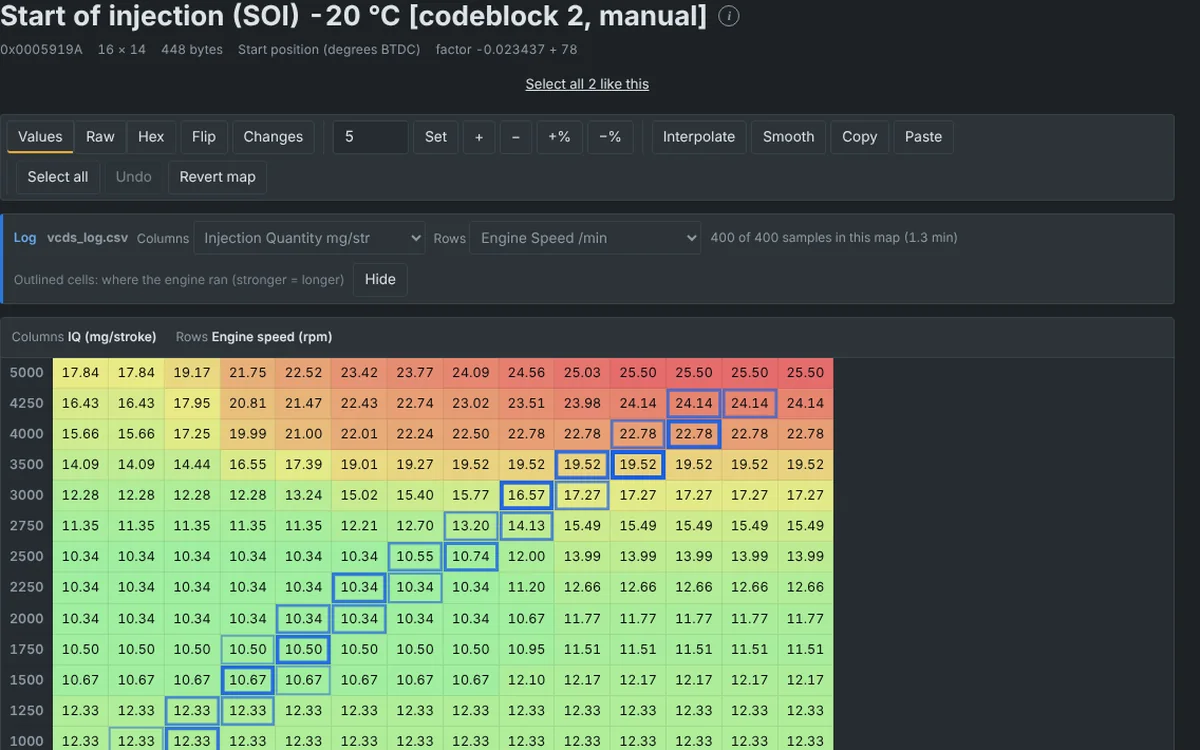
- VCDS and CSV logs
- Current and older VCDS layouts, and most other loggers’ CSV files.
- Cells outlined on the map
- The cells the engine ran in are outlined, stronger where it stayed longer, and shown as dots on the graph.
- Channels picked for you
- The log’s channels are matched to the map’s axes; change them if you like.
- Time in each map
- With timestamps, the time spent is added up, such as 400 of 400 samples (1.4 min).
- Nothing hidden
- Samples beyond a map’s axes are counted and reported, not dropped into the edge cells.
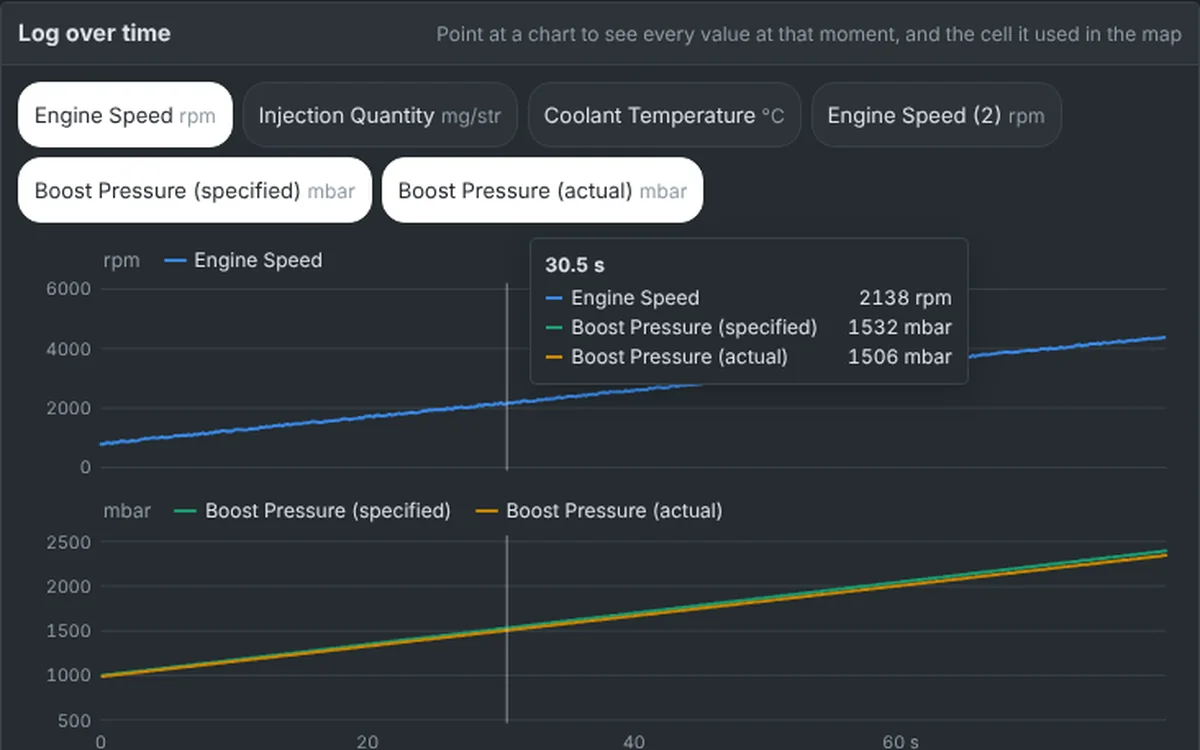
- Log over time
- Plot up to 8 channels against time; channels with the same unit share a chart, such as boost wanted and actual.
- Every value at any moment
- Point at a chart, tap it, or use the arrow keys to read every channel, with the map cell at that moment outlined.
- Log check
- A summary of the run: top rpm, boost overshoot and undershoot, fuel requested but not injected, exhaust temperature over your limit, and coolant temperature.
Checking and saving
Catch mistakes before the file leaves the tool.
- Save bin
- Downloads your file ready for your flashing tool (or press Ctrl/Cmd+S); two-chip reads give both chip files.
- Sensible file names
- Named from the registration, car, engine code, software number and date, with your own ending, e.g. AB12CDE_Ibiza_BUK_SW1037366536_2026-11-25_mod.bin.
- Checksums corrected
- Corrected and verified on the ECUs that support it; otherwise you’re told to use your flashing tool.
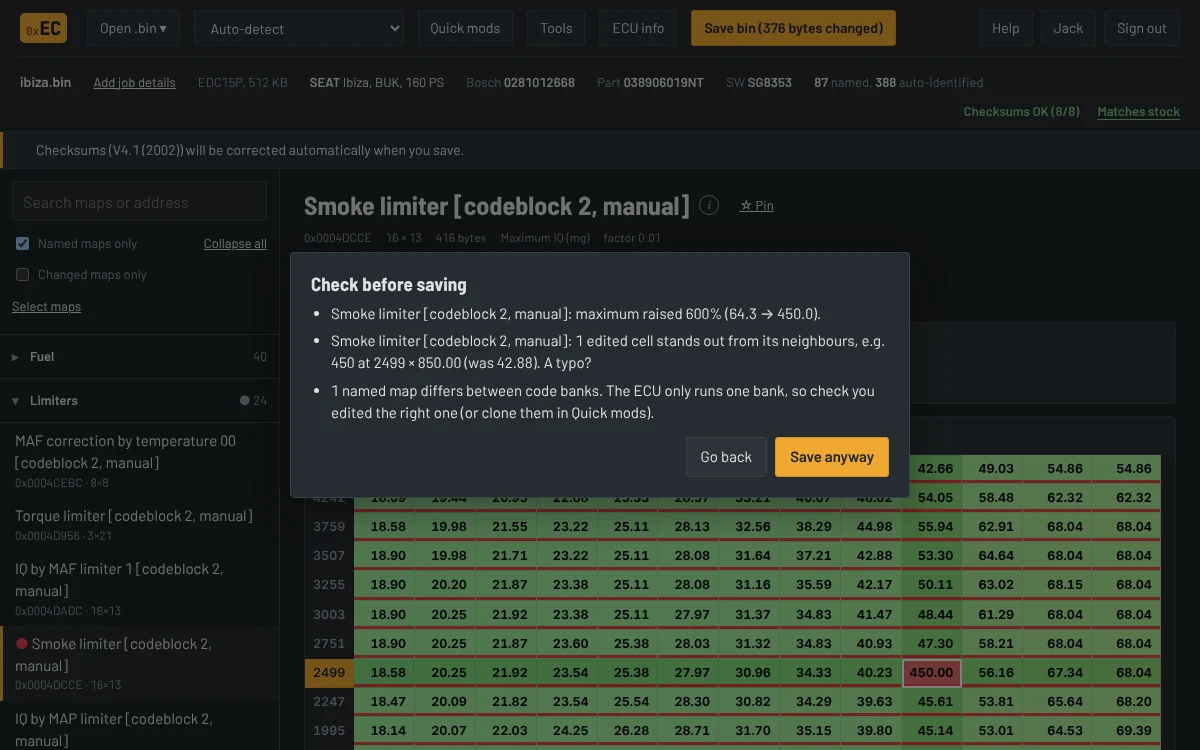
- Checks before saving
- Likely typos, cells changed by more than half, values at the limit of what a map can store, limiters raised a lot, boost limits above the hard cut, edits to unused or unnamed maps, a rev limiter out of range, and code banks that no longer match.
- Check any time
- Run the same checks without saving.
- Sessions
- Save your edits and notes in a small file and carry on later.
- Patches
- Open a session on another read of the same software and it’s applied where the original bytes match.
Reports and transfers
Hand over the work properly, and reuse it on the next car.
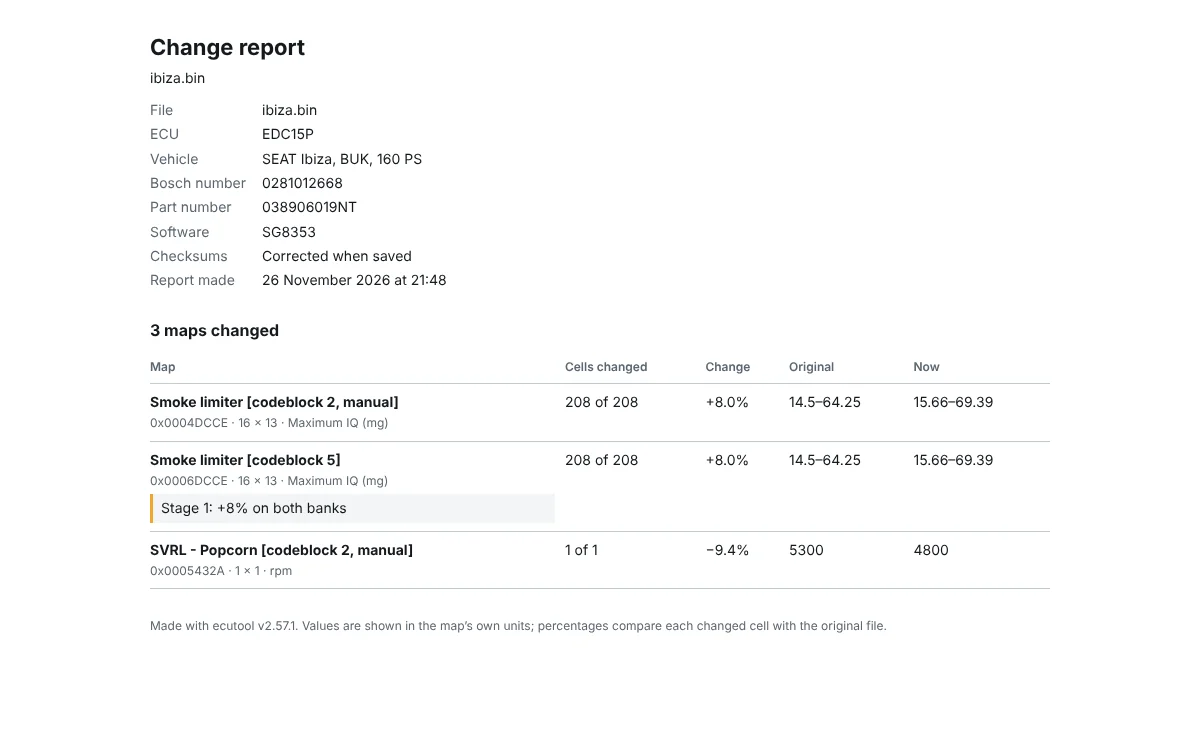
- Change report
- A single page with the file’s details and every map you changed: cells changed, the percentage, original and new ranges, and your notes. Read it or print it in any browser.
- Job details
- Customer, phone or email, registration, mileage and notes for each file, kept in your browser and added to the report, the session and the file name.
- Transfer a tune
- Copy the maps a tuned file changed onto another read of the same software.
- Safe by design
- A map is only copied where it matches the tune’s original; anything else is skipped and listed. One undo puts it all back.
Fuel curve, definitions, export and other tools
Extra tools for when you need to go further.
- WinOLS map import
- Import a WinOLS project (.ols) you have: its names, axes and scaling stay in your browser, and maps on related software are matched for you.
- Export
- TunerPro XDF and a CSV list of the maps found.
- Hex viewer and editor
- Go to an offset, find bytes or text, and type over values.
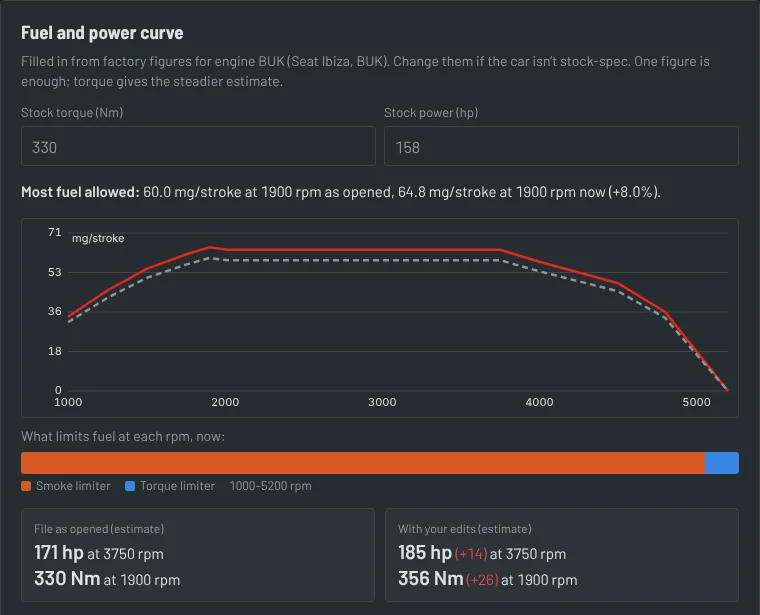
- Fuel and power curve
- The most fuel each rpm is allowed, as opened and now, which map limits it at each rpm, and estimated torque and power once you enter the stock figures.
- Your ECU list
- Fill in vehicle, engine code, power and torque for a Bosch number; used every time that ECU opens, synced to your account, and importable as CSV.
Your account and privacy
Simple, and your files stay yours.
- Files stay with you
- ECU files are opened and edited in your browser. Only file names, sizes, ECU types and part numbers are logged to your account. A file is only sent to us if you choose to send it for support.
- File history
- The files you’ve opened, saved, transferred or reported on, for the last 12 months.
- Two-step sign-in
- Use an authenticator app, with recovery codes in case you lose your phone.
- Licence and payments
- Your licence and payments on your account page, a reminder in the tool in its last 14 days, and a renew button when card payments are on.
- You’re in control
- Change your details and password, sign out other devices, download your data or delete your account.
- Help guide and quick tour
- A tour the first time you use the tool, and a full guide to every feature once you’re signed in.
- Works anywhere
- Nothing to install: a computer, tablet or phone with a browser.
- Made for phones too
- On a phone the map list fills the screen; tap a map to open it full screen, step with Prev and Next, and go back to the list where you left it.
- Free to start
- Signing up is free: open and edit any file, with 5 free saves. Unlimited saves are £20 a year; Pro Tools (tune transfer and the DQ250 gearbox tools) are £20 once.
Find your ECU
Every supported ECU in one table. Pick a make or search by ECU, engine or car; click a map list to see it all.
Full maps found and named · Experimental works, check the maps before relying on them · Hex only recognised, opens in the hex editor. Checksums: “—” means correct them with your flashing tool.
| ECU | Makes | Support | Maps named | Checksums |
|---|---|---|---|---|
Bosch EDC15P / P+VAG 1.9 TDI PD (ASZ, ARL, BLT, BUK…); 512 KBNotes by make (1)
| FordVW Group | Full | Named | Bosch V4.1 (all variants) |
| Bosch EDC15P-6VAG 3-cylinder 1.2 TDI PD (e.g. Lupo 3L); 512 KB | VW Group | Full | Named | Bosch V4.1 |
| Bosch EDC15V / VM+VAG 1.9 TDI VP37 (AGR, AHF, ASV, ALH…) and 2.5 TDI V6 (VP44); 256 KB, 512 KB and 1 MB. Two-chip reads (LOW/HIGH, LLL/HHH or SLL/SHH files): open both together | VW Group | Full | Named | EDC15V / VM+ |
Bosch EDC15C / C2 / C3 / C5 / C7 / C11Common-rail EDC15 (Fiat, Alfa Romeo, BMW, Opel, PSA, Renault and others)Notes by make (8)
| Alfa RomeoBMWChryslerFiatPeugeotRenaultVauxhall / OpelVolvo | Full | Named | — |
Bosch EDC15MBMW M47 2.0d and Opel / Saab DTI, including two-chip SHH/SLL reads (open both together)Notes by make (3)
| BMWSaabVauxhall / Opel | Full | Named | — |
| Bosch MSA15 / MSA12VAG 1.9 TDI (1Z, AHU) and 1.7 SDI. Two-chip reads (LLL/HHH files): open both together | VW Group | Full | Named | — |
| Bosch MSA6 / MSA11 (older BMW and Opel diesels)BMW 2.5 TD (324td, 325td, 524td, 525td) and 1.7 TDS (318tds), Opel Omega 2.5 TD; 32 KB and 64 KB. Recognised from the Bosch number | BMWVauxhall / Opel | Hex only | Not yet: these use a different layout from the VAG MSA ECUs | — |
Bosch EDC16 (U1, U31, U34, C9, C31, C35, C39…)VAG, BMW, Opel, Fiat, Alfa Romeo and others; 256 KB calibration reads (e.g. EDC16C39), 512 KB, 1 MB and 2 MB. How many maps get named varies by softwareNotes by make (6)
| Alfa RomeoBMWFiatSaabVauxhall / OpelVW Group | Full | Key maps on most software (driver’s wish, torque and smoke…Key maps on most software (driver’s wish, torque and smoke limiters, SOI, injection, SVRL); how many varies by software. Where they’re left unnamed, boost target, boost limit and smoke limiter are named from their shape (≈), and on VAG 03G906016 PD files the driver’s wish is found even where it’s stored without axes | — |
Bosch EDC17 (CP14, C46, C64…)Diesel common rail (VAG and others)Notes by make (2)
| BMWVW Group | Experimental | Driver’s wish, torque limiter, boost limit, boost pressure…Driver’s wish, torque limiter, boost limit, boost pressure, rail pressure and injector duration named from their shape (≈), with axes in rpm and mg/stroke; WinOLS import names the rest | — |
Bosch ME7 / ME7.1 / ME7.5 (petrol)VAG 1.8T, 2.7T and V8, VW 3.2 V6 and others; 512 KB and 1 MBNotes by make (1)
| Alfa RomeoVW Group | Experimental | VAG 1.8T: up to about 80 maps named on open from the firmware’s…VAG 1.8T: up to about 80 maps named on open from the firmware’s own pointers (most on 225 hp software, fewer on 180 hp and other 1.8T): lambda (LAMFA, LAMFAS, KFLF), fuel (KFTVSA and more), boost (KFLDRAPP, KFDLULS, KFLDIOPU, KFLDIWL), knock control, torque limit (KFMDWMX), air mass correction (KFKHFM); ignition maps not yet. Other ME7 engines: any matches marked ≈. Pedal-to-torque (KFPED type) on TT 180/225, S3 210 and RS4; WinOLS import names the rest | ME7 multipoint |
| Bosch MED9.1 / MED9.1.5 (petrol direct injection)VAG 2.0 TFSI (Golf GTI, Audi S3, TTS) and 5.2 V10; 2 MB | VW Group | Experimental | Unnamed: axes in rpm/%, LDRXN type recognised; WinOLS import…Unnamed: axes in rpm/%, LDRXN type recognised; WinOLS import names the rest | Code area only (59 blocks); map area: use your flashing tool |
| Continental Simos18.1 / 18.10 (VAG 2.0 TFSI EA888 Gen 3, …906259…)Golf GTI / R Mk7, Audi S3 8V, Leon Cupra and others. 4 MB full reads, or the calibration alone. Part, software, calibration ID and engine read from the file | VW Group | Experimental | From a WinOLS project you import (finding maps from the program…From a WinOLS project you import (finding maps from the program is in progress) | — |
| Continental Simos PCR2.1 (VAG 1.6 / 2.0 TDI, 03L906023…)Caddy, Golf 6, Audi A3 and others; 2 MB, full or calibration-only reads. Part, software and engine code read from the file | VW Group | Experimental | From a WinOLS project you import | — |
| Bosch ME9.2 (petrol, PowerPC)BMW N62 V8 (e.g. 650i E63); 2 MB. Recognised from its Bosch petrol number | BMW | Experimental | Maps found by the MED9 search, unnamed except engine-speed…Maps found by the MED9 search, unnamed except engine-speed curves; WinOLS import names the rest | — |
| Bosch MED17 / ME17 / MEVD17, MD1 / MG1Petrol MED17 family (e.g. VAG 1.8 / 2.0 TSI, BMW MEVD17.2), identified from the file’s EPK line. 2016-on MD1 diesel and MG1 petrol are recognised the same way but not yet tested on a read | BMWVW Group | Experimental | Maps found by layout, unnamed; WinOLS import names them | — |
| VAG DQ250 6-speed wet DSG gearbox (02E 927…, Temic)Recognised from the part or software number (02E 927…, 02E 300…). 1.5 MB full reads and smaller calibration reads (e.g. pcmflash), in either byte order | VW Group | Experimental | Upshift and downshift lines (1→2 to 5→6) named from their shape…Upshift and downshift lines (1→2 to 5→6) named from their shape (≈); gear ratio and final drive viewer and editor. Torque, launch and clutch maps not yet | — |
| Other gearbox control units (TCU)VAG DSG and S tronic: DQ200, DQ381, DQ500, DL501, and the Aisin 09G automatic. Recognised from the part number and opened in hex-only mode, with the layout search available | VW Group | Hex only | Not yet | — |
| Other ECUs: Siemens/Continental SID, Simos, PPD1.x and MS, Delphi DCM, Marelli MJD/IAW, Denso, older Bosch Motronic and BMW DDEIdentified from the file where it says what it is. Open in hex-only mode, or try a layout search (“Any ECU” in the ECU family menu). If the tool can’t open your file, you can send it from that screen so support can be added | Any make | Hex only | Not yet. A layout search finds maps only where they’re stored…Not yet. A layout search finds maps only where they’re stored with their axes, which many of these ECUs don’t do | — |
Nothing matches that. Any other file still opens in the hex editor, and you can send it to us from the tool so support can be added.